
Login at Spinsy in Canada: Reset Your Password
Login Methods
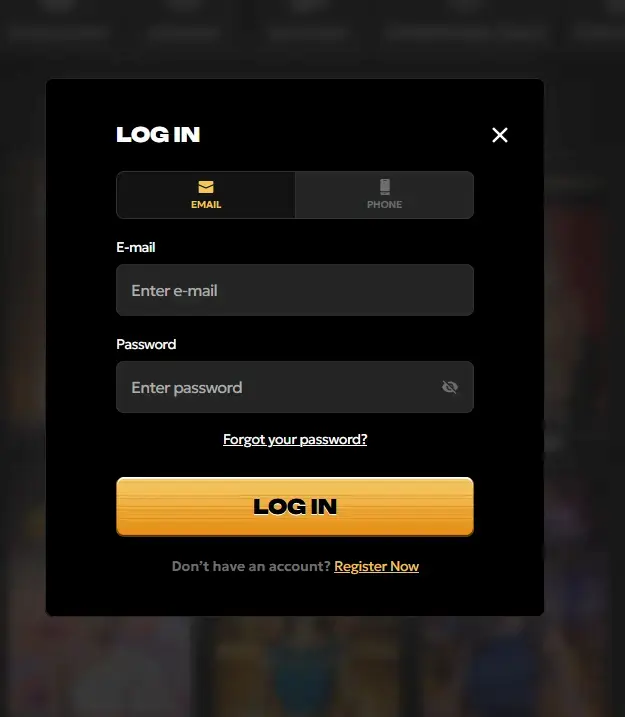
Spinsy uses a single-credential sign-in system: your registered email address and password grant access from any device and any browser. The same credentials authenticate both the desktop version and the PWA home-screen shortcut added from a mobile browser. Players who enabled two-factor authentication will receive a one-time code via email or authenticator app before the session opens. Biometric login (Face ID or fingerprint) can be set up on supported iOS and Android devices through the mobile browser settings after your first authenticated session.
How to Log In Step by Step
PC Browser
Navigate to spinsycasino24.com and click the Sign In button in the top-right corner of the homepage. Enter the email address you used during registration and your password, then click Confirm. If two-factor authentication is active, enter the one-time code sent to your registered email before the account dashboard opens. Clear your browser cache if the page fails to load on the first attempt, and ensure cookies are enabled.
Mobile Browser
Open your mobile browser and go to spinsycasino24.com. The site detects the screen size automatically and loads the mobile-optimized view. Tap Sign In at the top of the screen, enter your credentials, and submit. If you have added the PWA to your home screen, tap that icon to launch directly into the full-screen app version, where the login prompt appears at startup. Biometric unlock is available on supported devices after the first successful manual sign-in.
App
Spinsy is available as a Progressive Web App (PWA) rather than a native download. Add it to your home screen from Android 7.0+ or iOS 14.0+ by following the browser prompt (Android) or using the Share menu followed by Add to Home Screen (iOS). Once installed, open the PWA and sign in with your registered email and password. The PWA session persists between visits so you do not need to re-enter credentials unless you manually log out or your session expires.
Account Security
Spinsy protects the sign-in process with SSL encryption that prevents credentials from being intercepted in transit. Passwords are stored using one-way hashing, meaning not even support staff can see your password in plain text. Two-factor authentication is available in your account security settings and is strongly recommended for all players who use Interac e-Transfer or store payment details. Session tokens expire after a period of inactivity, automatically signing you out from idle browser tabs. If you notice login activity from an unrecognized location, contact support at [email protected] immediately and request a password reset.
Can’t Log In? Solutions to Common Problems
Forgotten passwords are resolved through the Forgot Password link on the login page. A reset email arrives within a few minutes; check your spam folder if it does not appear in your inbox. If you no longer have access to the email address registered to your account, contact support via live chat with your account details and a copy of your government-issued photo ID for identity verification.
Account locks triggered by repeated failed login attempts are lifted automatically after a short period, or immediately through the password reset flow. If your account has been suspended for a terms-of-service issue, email [email protected] from your registered email address with a brief description of the problem.
Login errors on mobile are most commonly resolved by refreshing the page, clearing the browser cache, or switching from Wi-Fi to mobile data. If the PWA shortcut fails to open, delete it from your home screen and re-add it by visiting spinsycasino24.com in your mobile browser.
Don’t Have an Account Yet?
New accounts are opened through the registration form on the Spinsy homepage. You will need a valid email address, a strong password, and basic personal details. Canadian players who are 19 or older (18 or older in Alberta, Manitoba, and Quebec) can register and choose CAD as their account currency. Once your email is verified, you can fund your account via Interac e-Transfer, Instadebit, or any other supported payment method and claim the welcome bonus on your first deposit.